
ProfitSync
Profit, COGS & Expense Tracker
ProfitSync sits inside WooCommerce and turns every order into a real profit number. Cost of goods, payment gateway fees, shipping cost, and business expenses are all deducted automatically, so the figure on your dashboard is the one that actually matters.
ProfitSync Features
Real-time profit dashboard
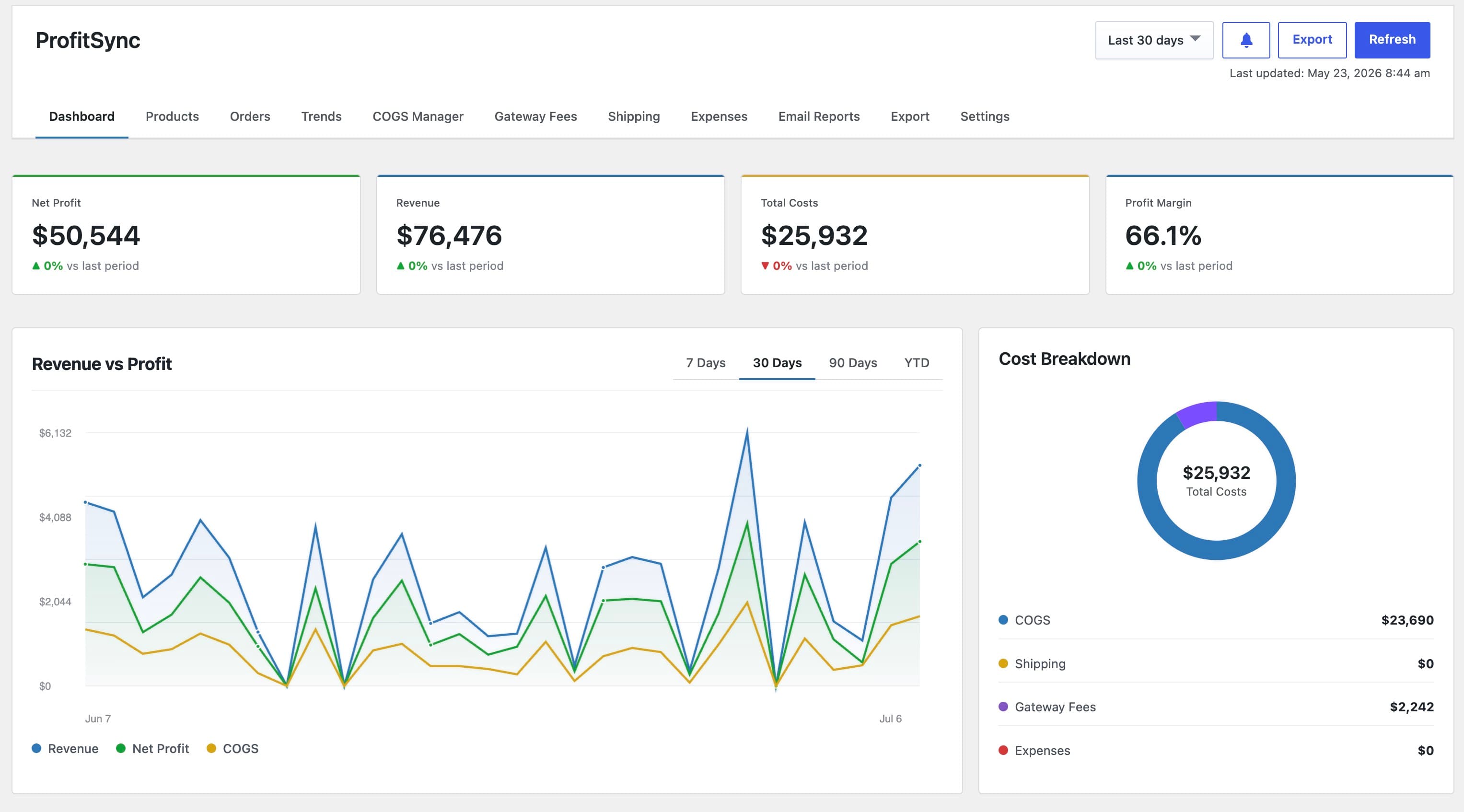
Revenue, cost, net profit, and margin for any date range, with a revenue-vs-profit trend chart and cost breakdown.
Native COGS integration
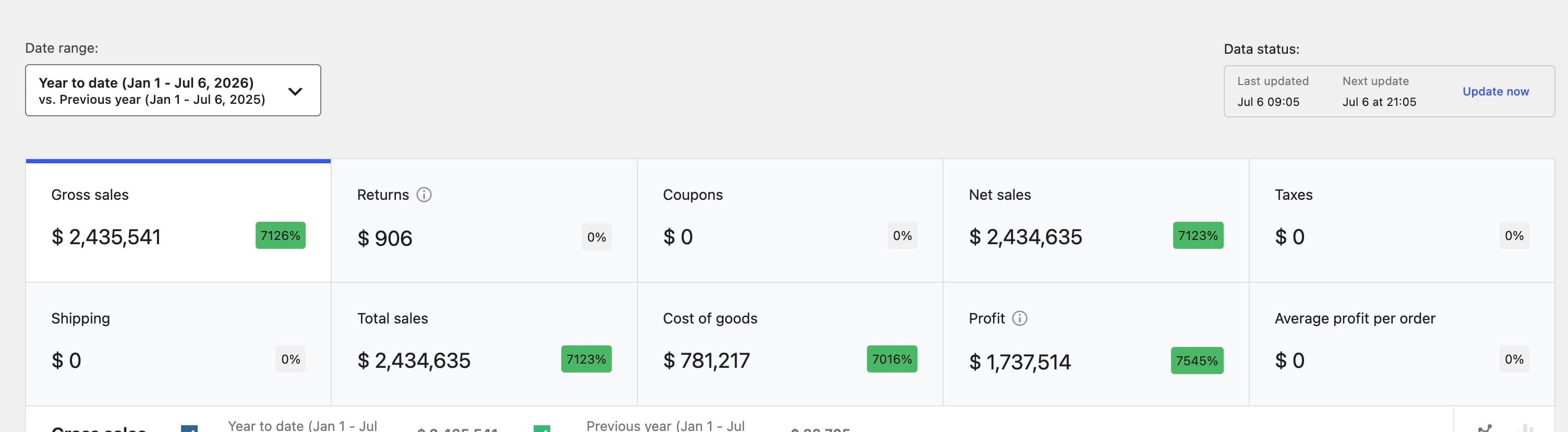
Reads and writes WooCommerce's own Cost of Goods Sold field, so cost data is never locked into a proprietary format.
Manual and automatic COGS rules
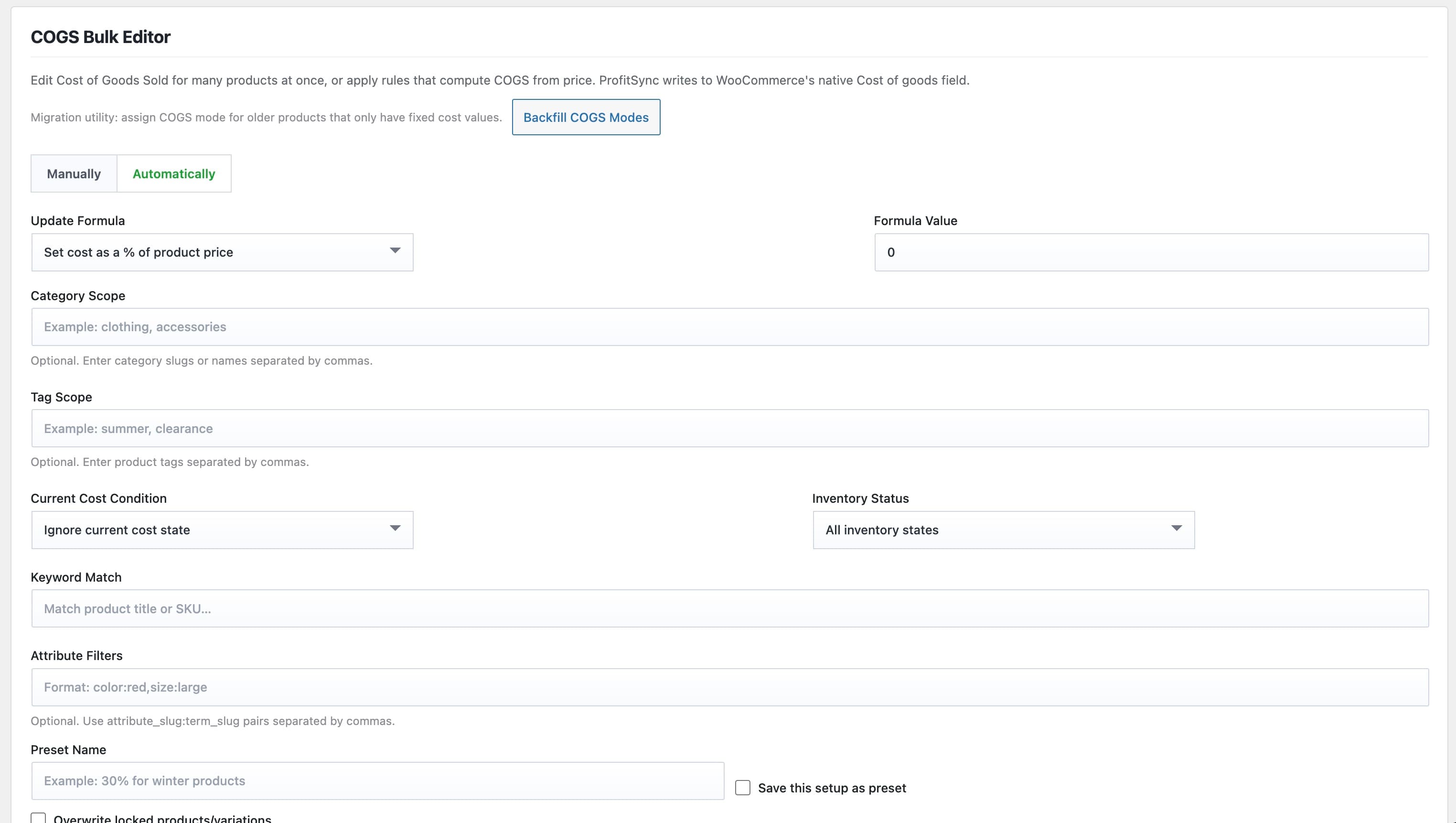
Edit cost per product, or apply a formula across a whole catalog scoped by category, tag, attribute, keyword, or stock status.
Order-level profit ledger
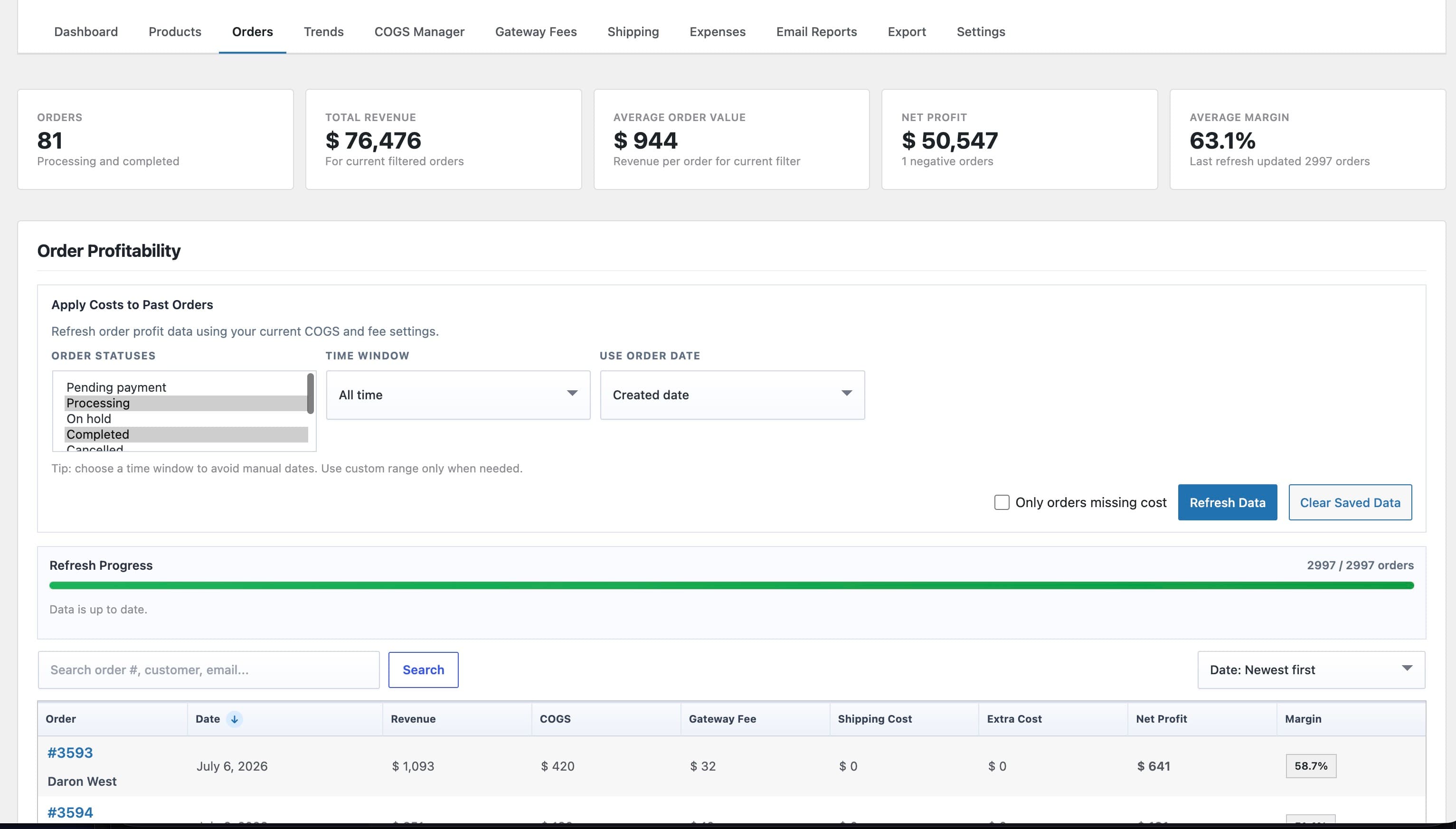
Revenue, COGS, gateway fee, shipping cost, and net profit tracked per order, synced automatically as orders change.
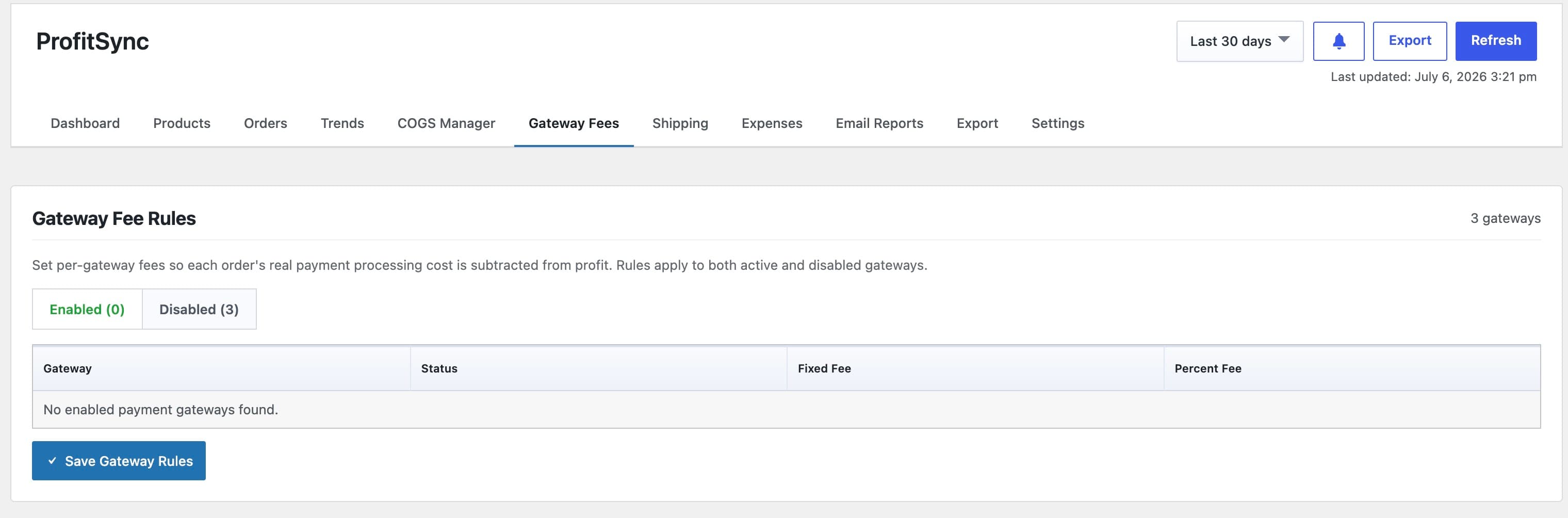
Gateway fee and shipping rules
Fixed and percentage fee rules per payment gateway, plus true fulfillment cost per shipping method and shipping class.
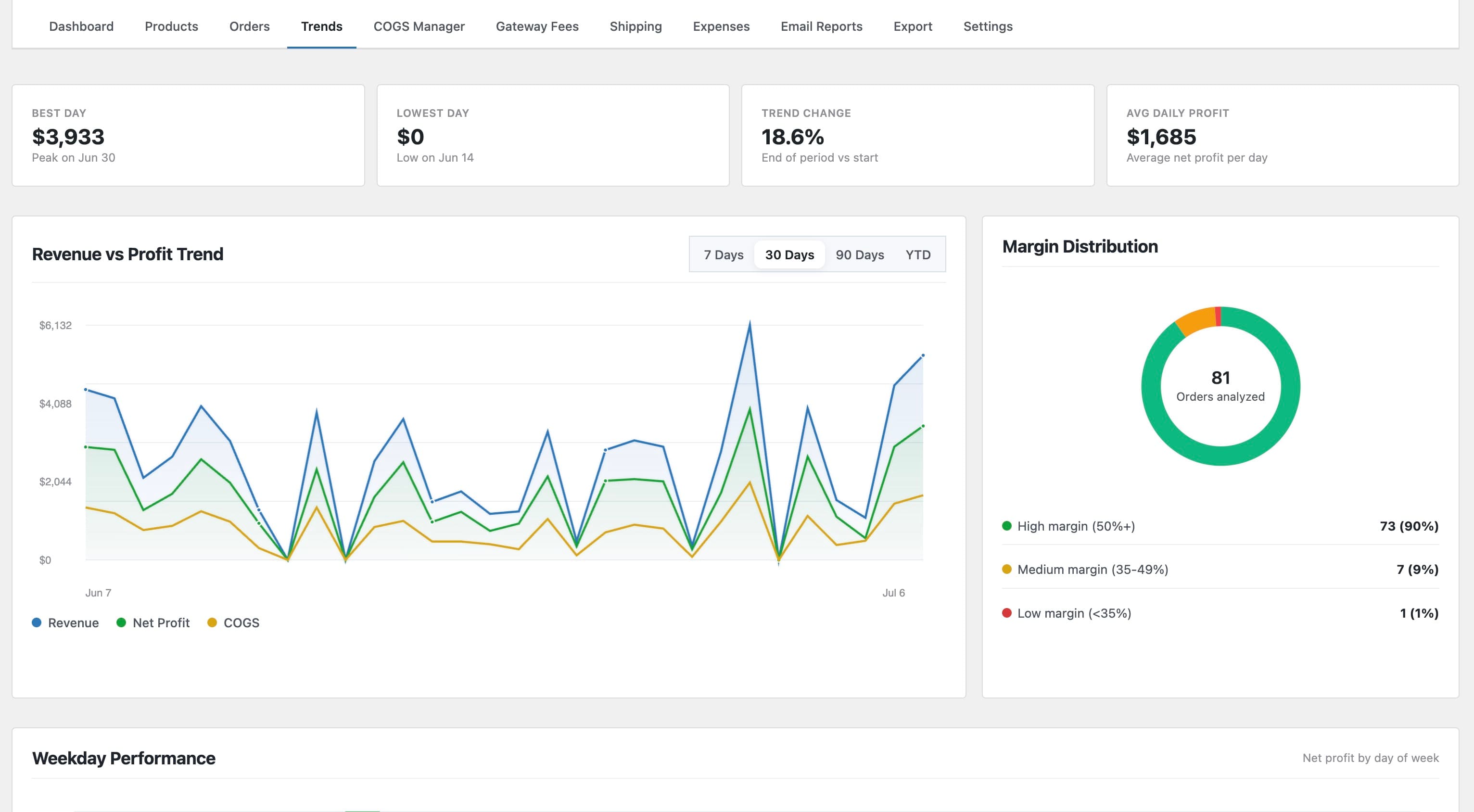
Trend analytics
Best day, lowest day, average daily profit, and a margin-distribution breakdown across your order history.
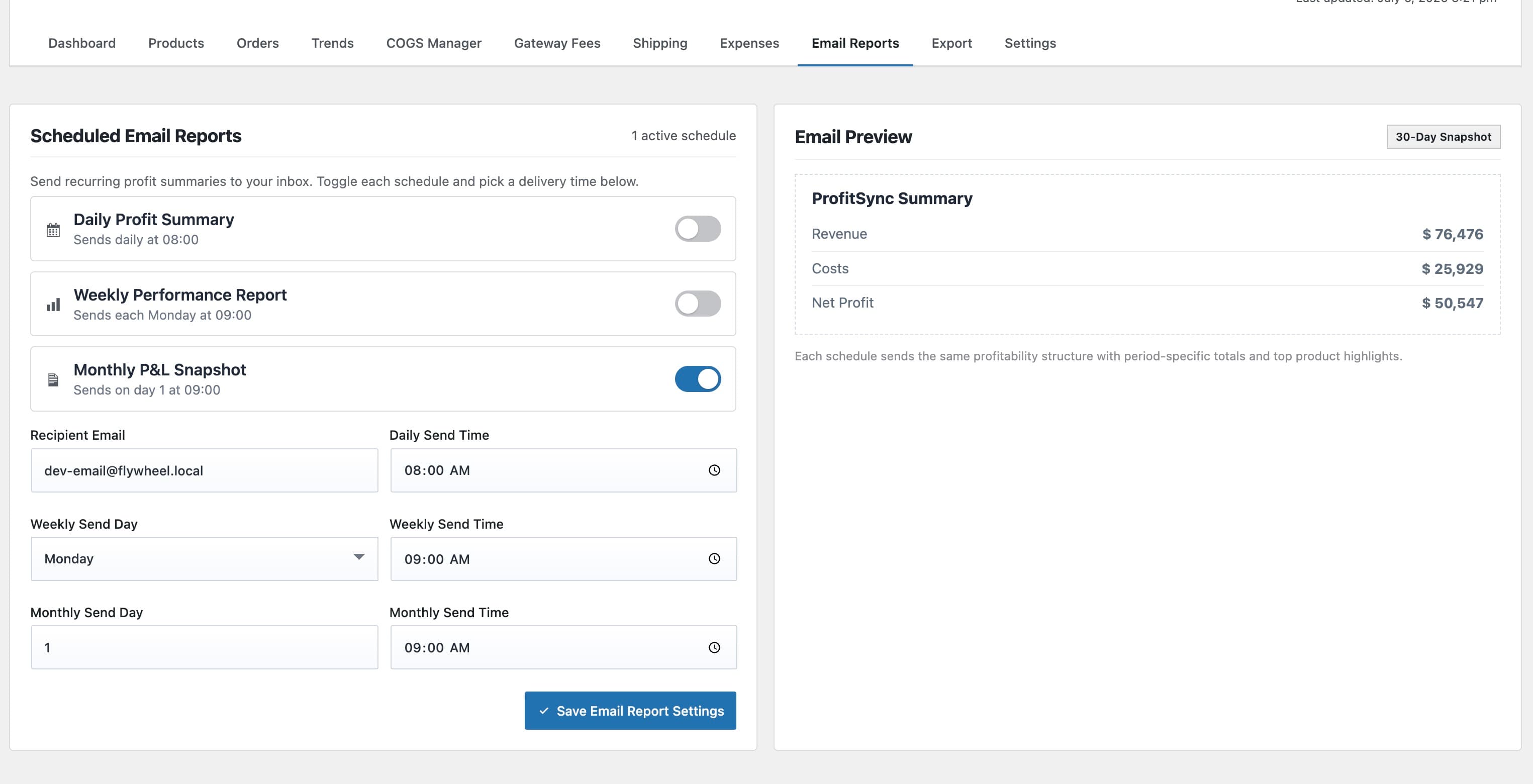
Scheduled email reports
Daily, weekly, and monthly profit summary emails, each independently schedulable, with a live preview.
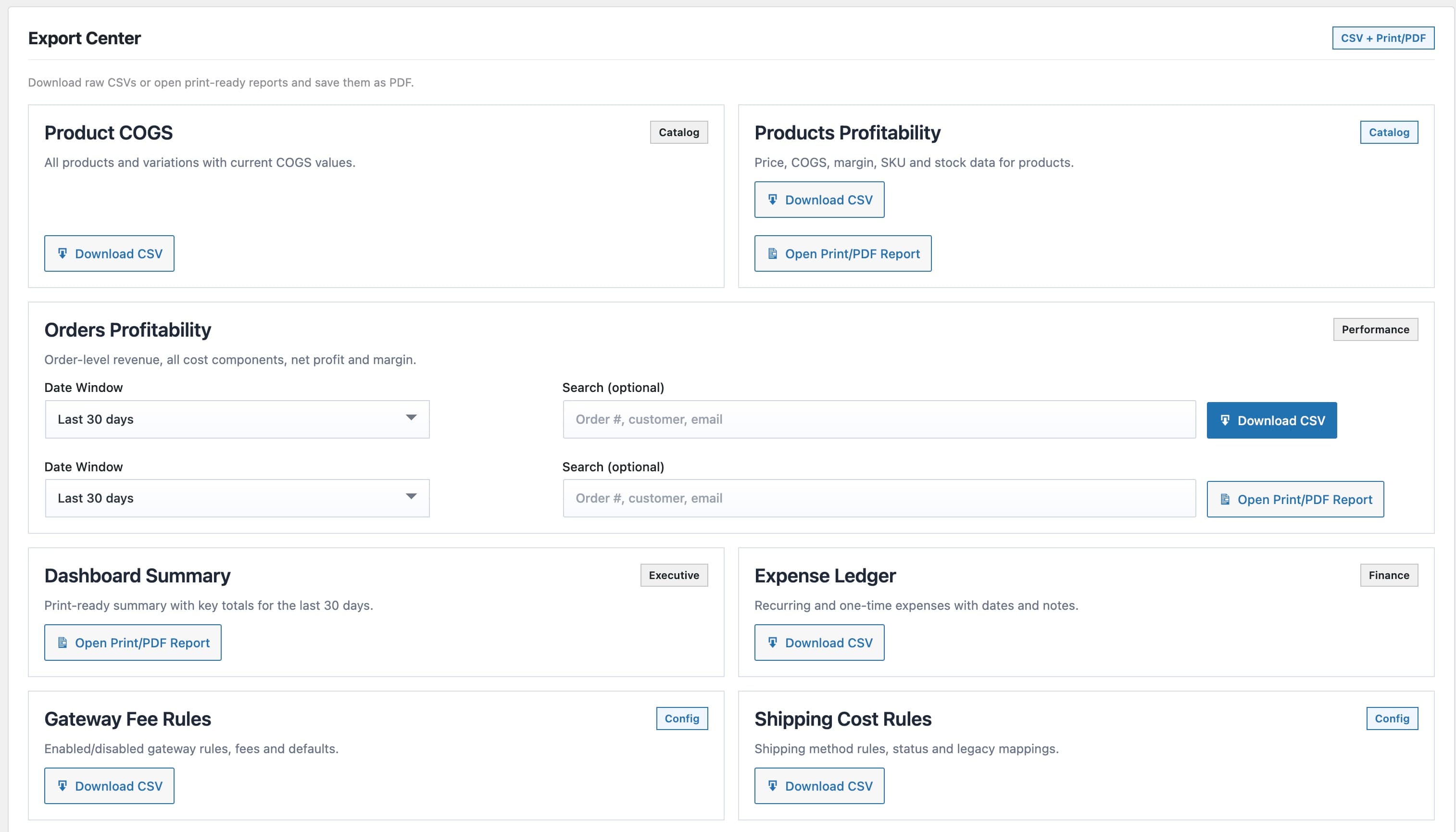
CSV and PDF export
CSV exports for products, orders, expenses, and rule configuration, plus print-ready PDF reports.
Real-time profit dashboard
Revenue, cost, net profit, and margin for any date range, with a revenue-vs-profit trend chart and cost breakdown.
Native COGS integration
Reads and writes WooCommerce's own Cost of Goods Sold field, so cost data is never locked into a proprietary format.
Manual and automatic COGS rules
Edit cost per product, or apply a formula across a whole catalog scoped by category, tag, attribute, keyword, or stock status.
Order-level profit ledger
Revenue, COGS, gateway fee, shipping cost, and net profit tracked per order, synced automatically as orders change.
Gateway fee and shipping rules
Fixed and percentage fee rules per payment gateway, plus true fulfillment cost per shipping method and shipping class.
Trend analytics
Best day, lowest day, average daily profit, and a margin-distribution breakdown across your order history.
Scheduled email reports
Daily, weekly, and monthly profit summary emails, each independently schedulable, with a live preview.
CSV and PDF export
CSV exports for products, orders, expenses, and rule configuration, plus print-ready PDF reports.
Description
ProfitSync sits inside WooCommerce and turns every order into a real profit number. Cost of goods, payment gateway fees, shipping cost, and business expenses are all deducted automatically, so the figure on your dashboard is the one that actually matters.
The product is also available on the official WooCommerce Marketplace.
Why buy from Camerce
Native WooCommerce integration
Free regular updates
Real developer support
Security-first code
Frequently asked questions
Does this replace WooCommerce's built-in Cost of Goods Sold feature?
No. It uses it. ProfitSync reads and writes to WooCommerce's native COGS field, so your cost data is portable and compatible with any other tool that supports it, not locked into ProfitSync.
Will this slow down my store or my checkout?
No. All profit calculation happens in the WordPress admin, on a background-processed snapshot table. Nothing runs on the storefront or at checkout.
Can I back-apply new cost rules to orders I already have?
Yes. Use the Apply Costs to Past Orders recalculation tool to re-price any date range, the whole store or just the orders missing a cost, using your current rules.
Does it handle variable products and variations?
Yes. Costs can be set per-variation, inherited from the parent product, or driven entirely by an automatic rule scoped to category, tag, attribute, or stock status.
Does it work with multiple currencies?
Yes. Set per-currency fee and cost adjustments so profit stays accurate no matter which currency an order was placed in.
Is any of my store data sent to a third party?
No. All calculation and storage happens on your own WordPress database. Webhook notifications are opt-in and only fire to a URL you configure yourself.