COGS ManagerPro
Bulk cost editing, CSV import, and rules that give new products a cost the moment they are created.
The COGS Manager exists because entering costs product by product does not scale. It does three separate jobs: bulk editing, importing, and automating.
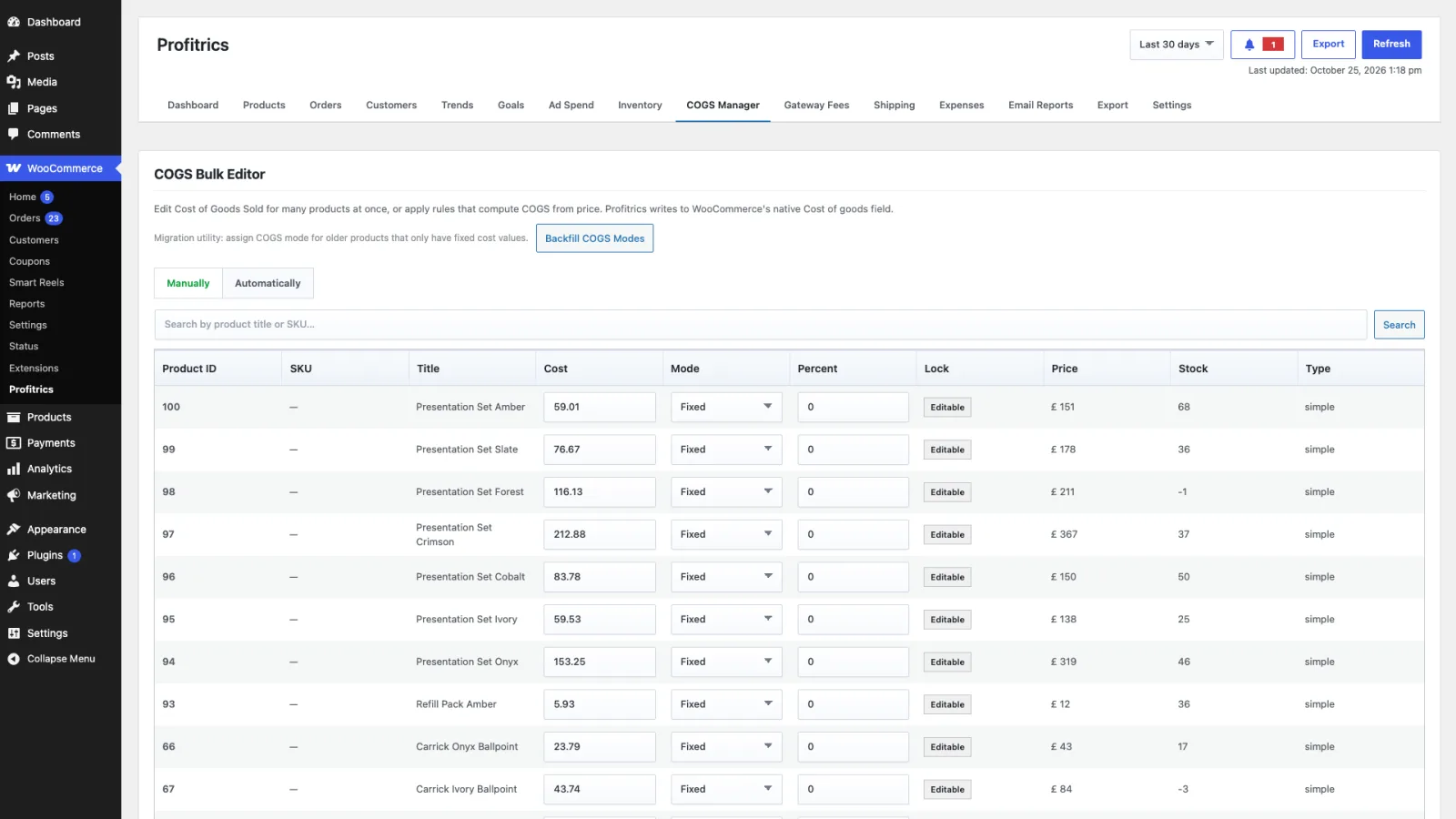
Bulk editing
The table lists products and their variations with the cost inline. Type across as many rows as you like and press Save Costs once. Edits are held in the page until then, so leaving without saving changes nothing.
Importing from CSV
Import matches rows to products by SKU or by product id and updates the cost field. Export first, from the Export tab, to get a file in the right shape with your real products in it, then edit that and import it back.
Automatic cost rules
A rule sets a cost without anybody typing one, which is what keeps a catalogue correct as it grows. A rule can be scoped to a category, a tag or an attribute, and can set either a fixed amount or a percentage of the selling price.
Percentage rules are the usual choice for a store that buys at a consistent markup, because the cost then tracks a price change on its own. Fixed rules suit a product whose cost has nothing to do with what you charge for it.
Rules apply to new products as they are added, so a product created next month arrives with a cost already set rather than quietly reporting a perfect margin.
Defaults and fallbacks
- Default cost mode
- Whether a cost with no mode of its own is read as a fixed amount or as a percentage of price. Set in Settings as
cogs_default_mode. - Variation fallback
- When on, a variation with no cost of its own uses the parent product's cost. When off, it is treated as having no cost at all and counts against coverage.