Orders and rebuilding history
Per-order profit, and the Apply Costs to Past Orders tool that every setup needs to run at least once.
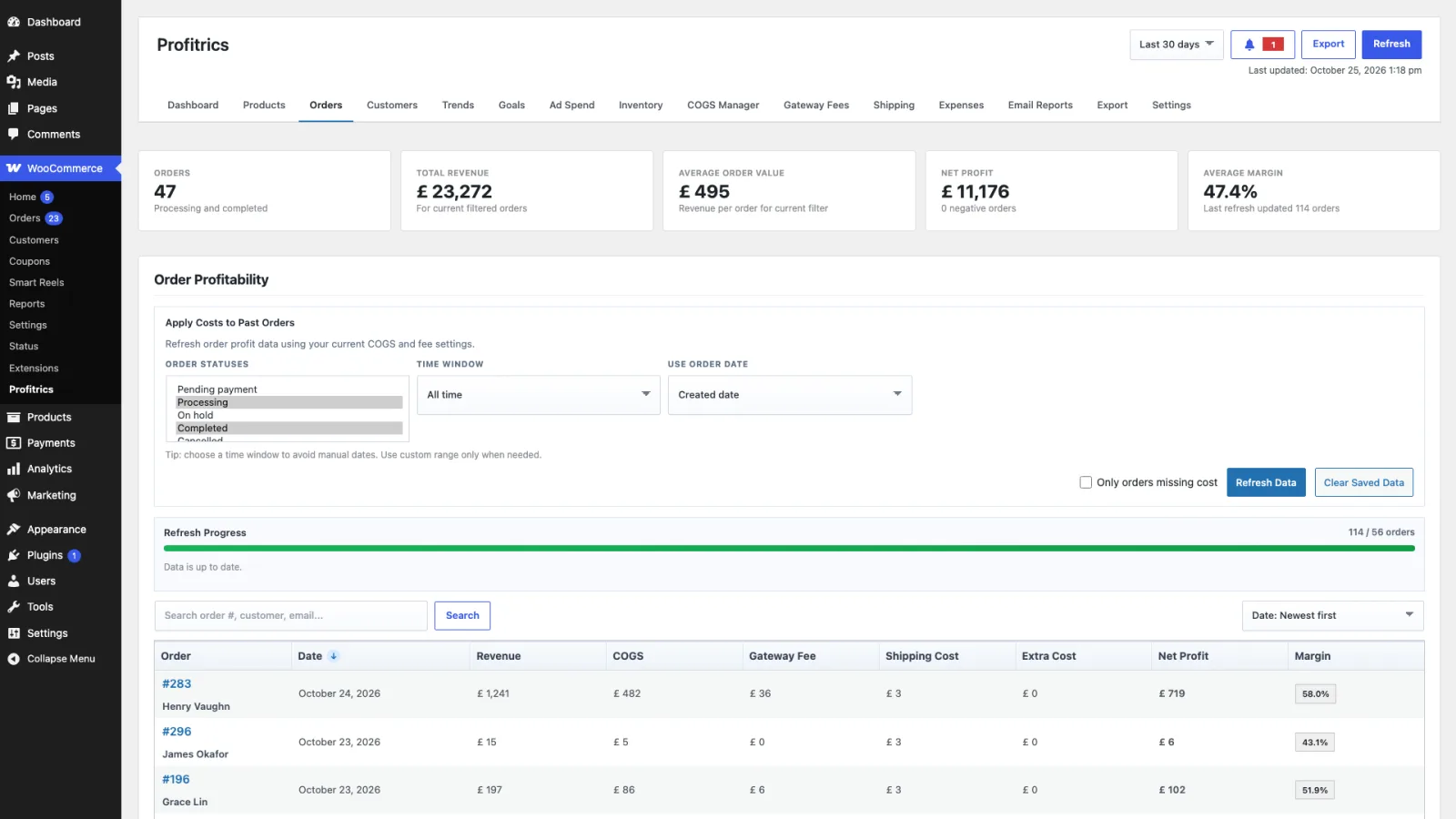
The Orders tab breaks every order into revenue, cost of goods, fees, shipping and extra costs, and reports what was left. It is where a suspicious dashboard figure gets traced back to the order that caused it.
Why orders store their own costs
Each order keeps a snapshot of the costs that applied when it was calculated. A supplier price rise next quarter therefore does not rewrite the profit on orders already shipped, which is what makes last year's figures worth anything.
The cost of that design is the one everybody meets during setup: entering costs does not retrospectively fix old orders. It has to be asked for.
Apply Costs to Past Orders
This recalculates orders using your current costs and rules. Run it after the first setup, and after any change to costs, fees or shipping that you want reflected in history.
- Order statuses
- Which statuses to rebuild. Should match Included Order Statuses in Settings, or the rebuilt figures will not agree with the dashboard.
- Time window
- How far back to go. Start with a short window to check the result looks right before running it across years of orders.
- Date type
- Whether the window is measured by order date or by paid date. These differ for anything that was placed and paid on different days.
- Only orders missing cost
- Skips orders that already have a cost snapshot. The fast option when filling gaps rather than changing rates.
Refresh Data
Separate from the rebuild. Refresh Data rebuilds the cached snapshot the dashboard and reports read from, without recalculating order costs. This is the one to run when a figure looks stale rather than wrong.