Settings reference
Every setting, what it changes, and what it ships as. The two at the top are the ones that decide whether anything else is right.
Settings live on the last tab, under WooCommerce then Profitrics then Settings. They are stored as a single option, profitsync_settings, which is what the settings export contains.
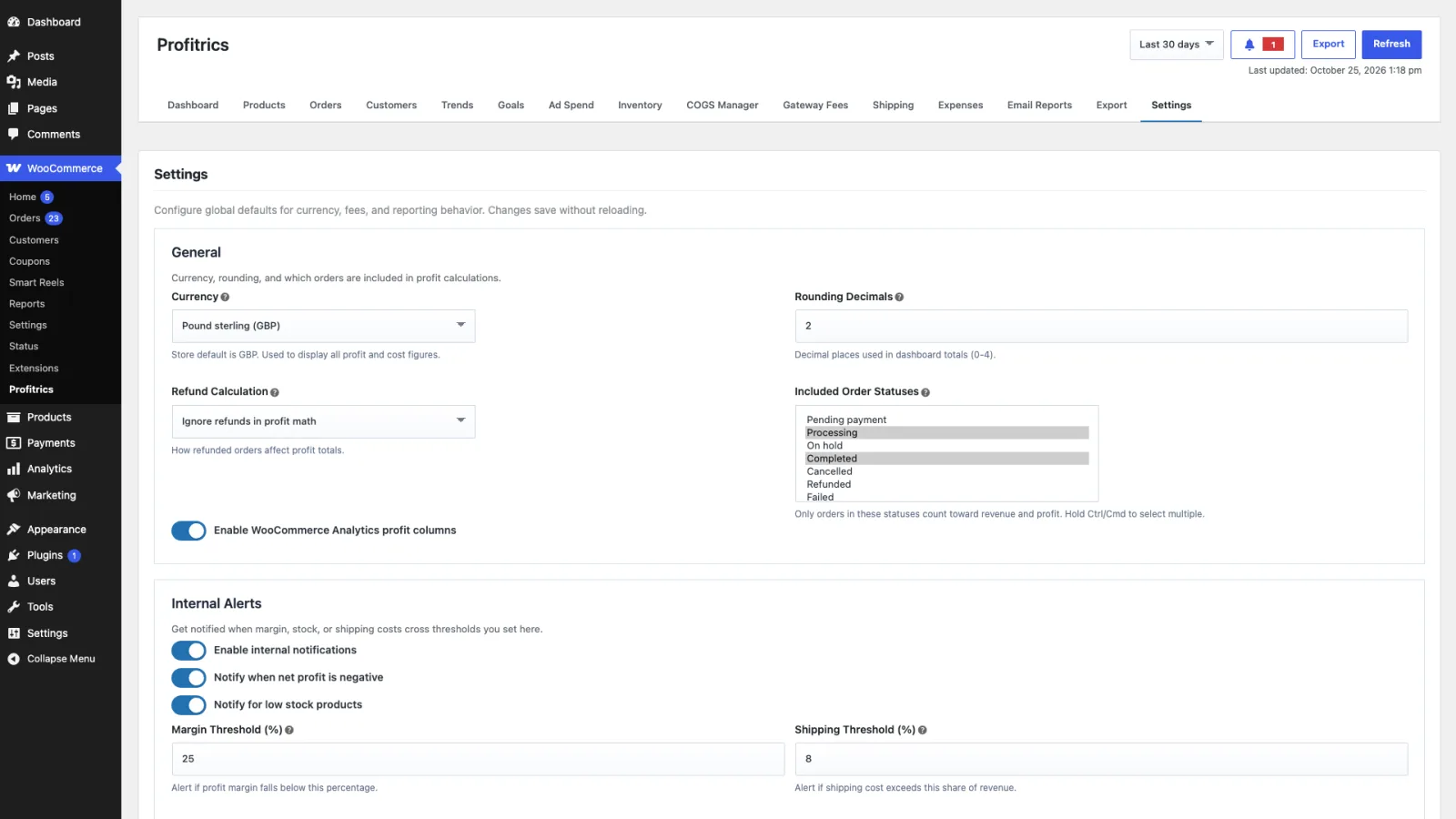
General
| Setting | What it does | Ships as |
|---|---|---|
| Currency | The currency Profitrics reports in, across the admin and every export. | Store currency |
| Rounding decimals | Decimal places in reported figures. Affects display, not the stored calculation. | 2 |
| Refund calculation | How a refund affects revenue and cost. none ignores refunds, order_total reverses the whole order, line_items reverses only the items refunded. | Set on install |
| Included order statuses | Which statuses count as a sale. The single most consequential setting here: a status left out is invisible everywhere in the plugin. | Processing and completed |
| Analytics profit columns | Adds cost and profit to WooCommerce Analytics. See Analytics. | Enabled |
| Default cost mode | Whether a cost with no mode is a fixed amount or a percentage of price. | Fixed |
| Variation fallback | Lets a variation with no cost of its own inherit the parent product's cost. | Enabled |
| Default gateway fee | Percentage and fixed fee for any gateway without its own rule. See Gateway fees. | 2.90% plus 0.30 |
| Default shipping cost | Cost for any shipping method without its own rule. See Shipping. | 0.00 |
| Order extra cost | A percentage and fixed amount applied to every order, for per-order costs that fit nowhere else, such as packaging or picking. | 0 |
Internal alerts
Alerts appear on the bell in the Profitrics header rather than by email. They are evaluated against the range set here, not against whatever range the dashboard happens to be showing.
| Setting | What it does | Ships as |
|---|---|---|
| Enable internal notifications | The switch for everything below. | Enabled |
| Margin threshold | Raises an alert when margin falls below this percentage. | 25 |
| Shipping threshold | Raises an alert when shipping cost exceeds this percentage of revenue. | 8 |
| Negative profit alert | Raises an alert on any order that lost money. | Enabled |
| Low stock alert | Raises an alert at the stock threshold below. | Enabled |
| Low stock threshold | Units remaining before the alert fires. | 5 |
| Evaluation range | The period alerts are judged over: 7 days, 30 days, 90 days or a year. | 30 days |
| Cooldown | Minutes before the same alert can fire again, so one bad week does not produce a hundred notifications. | 180 |
Send Test Notification puts a notification through the whole path, which is the quick way to tell a configuration problem from a quiet month.
Outbound webhooks
| Setting | What it does | Ships as |
|---|---|---|
| Enable outbound webhooks | The switch. | Disabled |
| Webhook URL | Where events are posted. HTTPS strongly preferred. | Empty |
| Webhook secret | Signs each payload with HMAC SHA-256, sent as X-ProfitSync-Signature. Verify it at your end; an unsigned webhook endpoint accepts anything. | Empty |
| Webhook timeout | Seconds to wait for your endpoint before giving up. | 5 |
See Developers for the events, the headers and the hooks.
Was this page helpful?Updated 2026-10-25